
NEWYou can now listen to Fox News articles!
Attackers have a new tool that targets Microsoft 365 users at scale.
Security researchers say a phishing platform called Quantum Route Redirect, or QRR, is behind a growing wave of fake login pages hosted on nearly 1,000 domains. These pages appear real enough to fool many users while evading some automated scanners.
QRR runs realistic email lures that mimic DocuSign requests, payment notices, voicemail alerts, or QR code prompts. Each message redirects victims to a fake Microsoft 365 login page designed to harvest usernames and passwords. The kit often resides on legitimate domains that are parked or compromised, adding a false sense of security to anyone who clicks.
Researchers tracked the QRR in 90 countries. About 76% of attacks affect American users. This scale makes QRR one of the largest phishing operations active today.
WINDOWS 10 USERS FACE RANSOMWARE NIGHTMARE AS MICROSOFT SUPPORT ENDS IN 2025 WORLDWIDE
Sign up for my FREE CyberGuy Report
Get my best tech tips, urgent security alerts and exclusive offers straight to your inbox. Plus, you’ll get instant access to my Ultimate Scam Survival Guide — free when you join my CYBERGUY.COM bulletin.
Attackers use fake Microsoft security alerts to trick users into entering their Microsoft 365 passwords. (Cousin Chona/Bloomberg via Getty Images)
A quick follow-up to other major Microsoft credential attacks
QRR emerged shortly after Microsoft disrupted a major phishing ring known as RaccoonO365. This service sold ready-made Microsoft login copies used to steal more than 5,000 sets of credentials, including accounts linked to more than 20 U.S. healthcare organizations. Subscribers paid just $12 per day to send thousands of phishing emails.
Microsoft’s digital crime unit subsequently shut down 338 related websites and identified Joshua Ogundipe of Nigeria as the operator. Investigators linked him to the phishing code and a crypto wallet that netted more than $100,000. Microsoft and Health-ISAC have since filed a lawsuit in New York accusing it of multiple cybercrime violations.
Other recent examples include kits like VoidProxy, Darcula, Morphing Meerkat and Tycoon2FA. QRR builds on these tools with automation, bot filtering, and a dashboard that helps attackers launch large campaigns quickly.
What makes QRR so effective
QRR uses around 1,000 domains. Many are real sites that have been parked or compromised, allowing the pages to appear legitimate. URLs also follow a predictable pattern that may appear normal to users at a glance.
The kit includes automated filtering that detects bots. It sends scanners to harmless pages and sends real people to the credentials collection site. Attackers can manage campaigns in a control panel that logs traffic and activity. These features allow them to scale quickly without technical skills.
Security analysts say organizations can no longer depend solely on URL scanning. Layered defenses and behavioral analysis have become essential for detecting threats that use domain rotation and automated evasion.
Microsoft was contacted by CyberGuy for comment but had nothing to add at this time.
HACKERS FIND A WAY TO BYPASS BUILT-IN WINDOW PROTECTIONS
Why it matters to Microsoft 365 users
When attackers obtain your Microsoft 365 ID, they can see your email, retrieve files, and even send new phishing messages that appear to come from you. This can create a chain reaction that spreads quickly. That’s why the steps below all work together to block these threats before they turn into something more serious.
Steps to protect yourself against QRR and other Microsoft 365 phishing attacks
Use these simple actions to reduce your risk from fake Microsoft 365 pages and similar emails.
1) Check the sender before clicking
Take a second to look at who the email actually came from. A slight spelling mistake, an unexpected attachment, or wording that seems out of place is a big clue that the message may be fake.
2) Hover over the links first
Before opening a link, hover your mouse over it to preview the URL. If this doesn’t lead to the official Microsoft sign-in page or looks strange, ignore it.
3) Enable Multi-Factor Authentication (MFA)
MFA adds an extra layer that makes it much harder for attackers to break in, even if they know your password. Use options like app-based codes or hardware keys so phishing kits can’t bypass them.
4) Use a data deletion service
Attackers often collect personal information from data broker sites to create convincing phishing emails. A reliable data removal service removes your information from these sites, reducing targeted scams and making it more difficult for criminals to create fake Microsoft alerts that appear real.
Although no service can guarantee the complete removal of your data from the Internet, a data deletion service is definitely a wise choice. They’re not cheap, and neither is your privacy. These services do all the work for you by actively monitoring and systematically deleting your personal information across hundreds of websites. This is what gives me peace of mind and has proven to be the most effective way to erase your personal data from the Internet. By limiting the information available, you reduce the risk of fraudsters cross-referencing data from breaches with information they might find on the dark web, making it harder for them to target you.

QRR hides its phishing pages on almost 1,000 domains, making the fake login screens convincing at first glance. (Microsoft)
Check out my top picks for data deletion services and get a free scan to find out if your personal information is already available on the web by visiting Cyberguy.com.
Get a free analysis to find out if your personal information is already available on the web: Cyberguy.com.
5) Update your browser and apps
Keep everything on your device up to date. The updates close security holes that attackers often rely on when creating phishing kits like QRR.
6) Never click on unknown links and use strong antivirus software
If you need to visit a sensitive site, enter the address into your browser instead of clicking on a link. Powerful antivirus tools also help by warning you of fake websites and blocking scripts that phishing kits use to steal login information.
The best way to protect yourself from malicious links that install malware, potentially accessing your private information, is to install powerful antivirus software on all your devices. This protection can also alert you to phishing emails and ransomware scams, protecting your personal information and digital assets.
Get my picks for the best 2025 antivirus protection winners for your Windows, Mac, Android, and iOS devices at Cyberguy.com.
MICROSOFT SOUNDS ALARM AS HACKERS TURN TEAMS PLATFORM INTO “REAL DANGERS” FOR USERS
7) Use advanced spam filtering
Most email providers offer stronger filtering settings that block risky messages before they reach you. Enable the highest level your account allows to keep more fake Microsoft alerts out of your inbox.
8) Monitor connection alerts
Enable Microsoft account sign-in notifications so you receive an alert whenever someone tries to access your account. To do this, sign in to your Microsoft account online, open Security, choose Advanced security options, and enable sign-in alerts for suspicious activity.
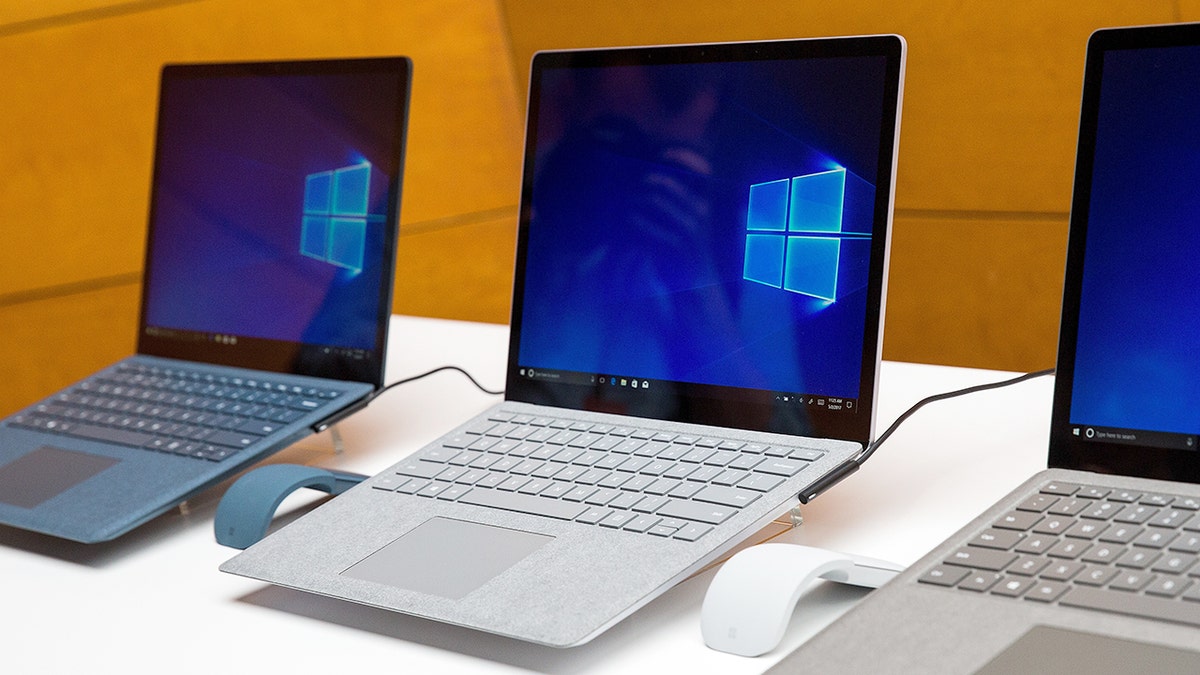
Powerful login alerts and phishing-resistant MFA help block these scams before criminals can take over your account. (Drew Angerer/Getty Images)
Kurt’s Key Takeaways
QRR is a reminder of how quickly fraudsters change tactics. Tools like this make it easy for criminals to send huge waves of fake Microsoft emails that appear real at first glance. The good news is that a few smart habits can give you a head start. When you strengthen connection protection, enable alerts, and stay up to date with the latest tips, you make it much more difficult for attackers.
Do you think most people can tell the difference between a real Microsoft login page and a fake one, or have the phishing kits become too convincing? Let us know by writing to us at Cyberguy.com.
CLICK HERE TO DOWNLOAD THE FOX NEWS APP
Sign up for my FREE CyberGuy Report
Get my best tech tips, urgent security alerts and exclusive offers straight to your inbox. Plus, you’ll get instant access to my Ultimate Scam Survival Guide — free when you join my CYBERGUY.COM bulletin.
Copyright 2025 CyberGuy.com. All rights reserved.


